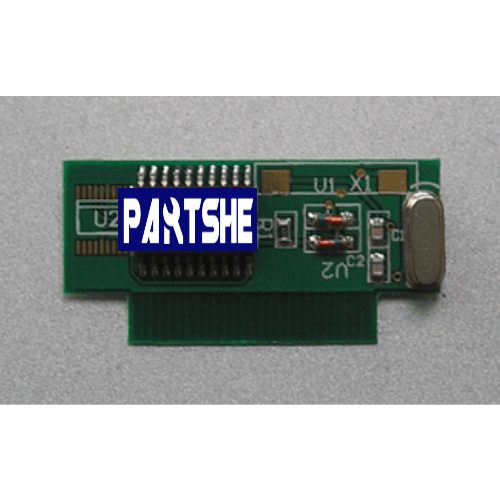
Features:
Replacement Parts
Specifications:
Compatible Models:600DPI Encad NovaJet 600 630 630e 700 736 750
Sealing the chips on the original ink cartridges with paper.
Install the decoder to the data cable on the right near the memory on the motherboard directly under power off.
Connect the printer and computer with parallel cable by the decoder.
Make sure that the golden finger of decoder should be in the same direction as that of the data line.
Insert the decoder, if the message displays Unrecognised cartridges first please check if they are in good contact, then see the Version of the FIRMWARE, if the decoder can’t work with the low Version, please update to the high Version.
Highest FIRMWARE Version for NovaJet 750 is:1.10
Highest FIRMWARE Version for NovaJet 736 is:1.07
Highest FIRMWARE Version for NovaJet700 is:3.15
Highest FIRMWARE Version for NovaJet630 is:3.15
Highest FIRMWARE Version for NovaJet600 is:2.53
What in the box:
1*Replacement Ink Cartridge Chip Decoder


Reviews
There are no reviews yet.